
- Posts: 12
Postings
You can freely browse the forum and post in the community forum.
However, you need a valid license to write posts for support (own a valid commercial software license or have purchased a support membership).
Posts only show once reviewed. This is mainly preventive to keep spam away. Thank you for your understanding!
Photo Caption
- mkonop
-
 Topic Author
- New Member
-

Less
More
IP: 174.57.144.102
5 years 5 months ago #5443
by mkonop
Photo Caption was created by mkonop
Is there a way to display article content without including the photo caption?
Thank you!
Thank you!
- syw
-
- Administrator
-

Less
More
- Posts: 829
IP: 24.185.124.166
5 years 5 months ago - 5 years 5 months ago #5444
by syw
Olivier.
Replied by syw on topic Photo Caption
Hello Marian!
Yes, you don't have to show an image. Just set 'Head Type' to 'none' in the 'Layout' tab.
To be more precise in my answer: make sure you select a theme style that does not require an image (like 'Original' or 'FullWidth').
Yes, you don't have to show an image. Just set 'Head Type' to 'none' in the 'Layout' tab.
To be more precise in my answer: make sure you select a theme style that does not require an image (like 'Original' or 'FullWidth').
Olivier.
Last edit: 5 years 5 months ago by syw.
- mkonop
-
Topic Author
- New Member
-
Less
More
- Posts: 12
IP: 174.57.144.102
5 years 5 months ago #5445
by mkonop
Replied by mkonop on topic Photo Caption
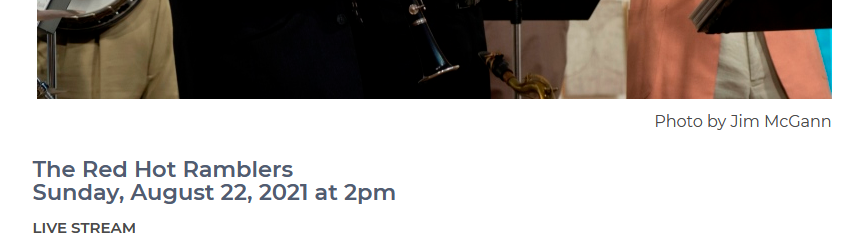
Thanks Olivier,We want to keep the photo, but not show the caption. Is there a way to do that?

- syw
-
- Administrator
-
Less
More
- Posts: 829
IP: 24.185.124.166
5 years 5 months ago - 5 years 5 months ago #5447
by syw
Olivier.
Replied by syw on topic Photo Caption
Sorry, I misunderstood.
Latest News Enhanced Pro (LNEP) does not show photo captions. It only uses the 'alt text' if available in your article .
When clicking on an item, the article opens in a view created by the Contents component or the K2 component (if using K2). LNEP does not handle that part.
If your 2nd screenshot is actually a view of the article when it's open, you can just use CSS to hide the caption. An other option is to create a template override of the layout 'joomla/content/full_image.php'. But it seems like the layout is already overridden by your template to get the caption the way it is showing (it's not standard Joomla or you may be using K2?).
Olivier.
Last edit: 5 years 5 months ago by syw.
- mkonop
-
Topic Author
- New Member
-
Less
More
- Posts: 12
IP: 174.57.144.102
5 years 5 months ago #5448
by mkonop
Replied by mkonop on topic Photo Caption
Sorry, I'm really not describing my question very well.
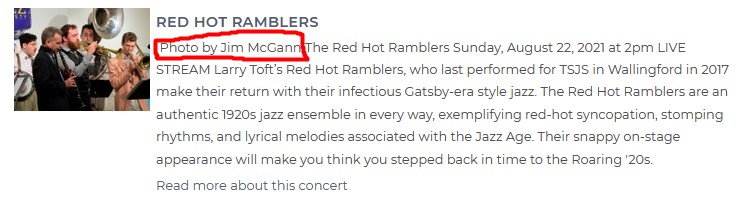
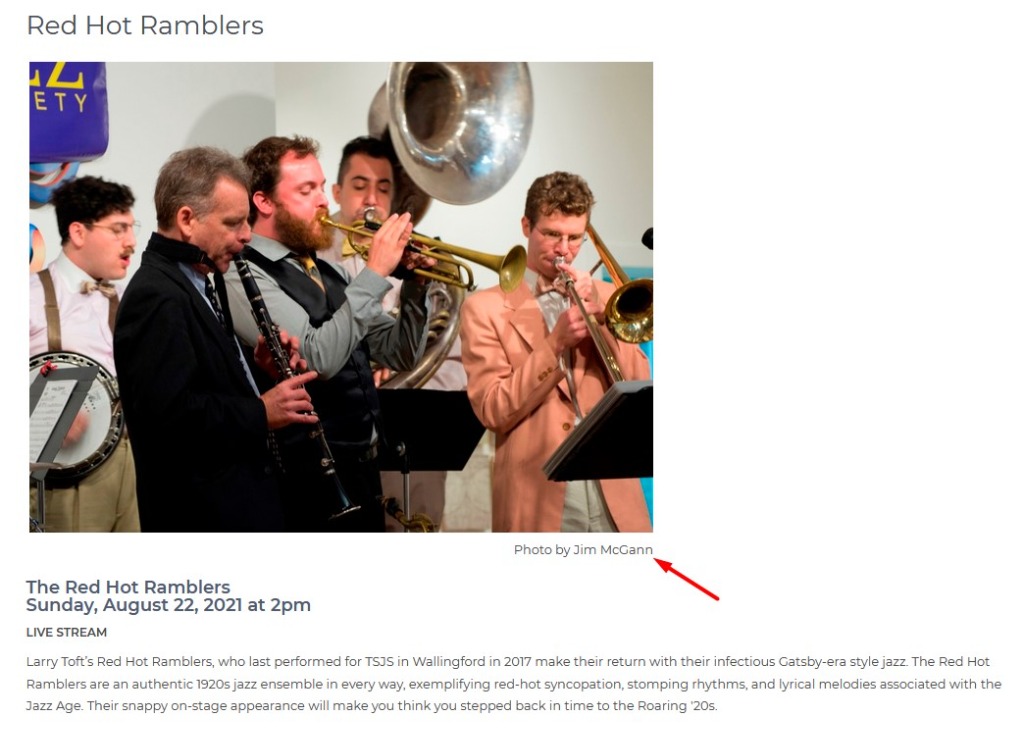
I created a caption with class="wf_caption" using JCE. The caption appears under the image in the article. I want to know if the caption can be eliminated from the LNEP listing.
I'm attaching two images. The first is the LNEP output. The second image is the article showing the image caption.
Thank you for your patience!
- syw
-
- Administrator
-
Less
More
- Posts: 829
IP: 24.185.124.166
5 years 5 months ago #5449
by syw
Olivier.
Replied by syw on topic Photo Caption
Ok, I understand that you have added the caption inside the actual text.
Same with the title, the event date... they are part of the article text (at least it looks like it).
Therefore, if you ask to show the article text in LNEP, it will have all that information.
I would suggest you add a meta description to your article (if you don't have that already) and use it as the text you show in LNEP.
There is no way LNEP can 'triage' what you want or no want to show from your article text the way it is setup.
You could also create a custom field of textarea or editor type that you could use as text to show in LNEP. Giving you full control of what you actually present.
Olivier.