
- Posts: 18
Postings
You can freely browse the forum and post in the community forum.
However, you need a valid license to write posts for support (own a valid commercial software license or have purchased a support membership).
Posts only show once reviewed. This is mainly preventive to keep spam away. Thank you for your understanding!
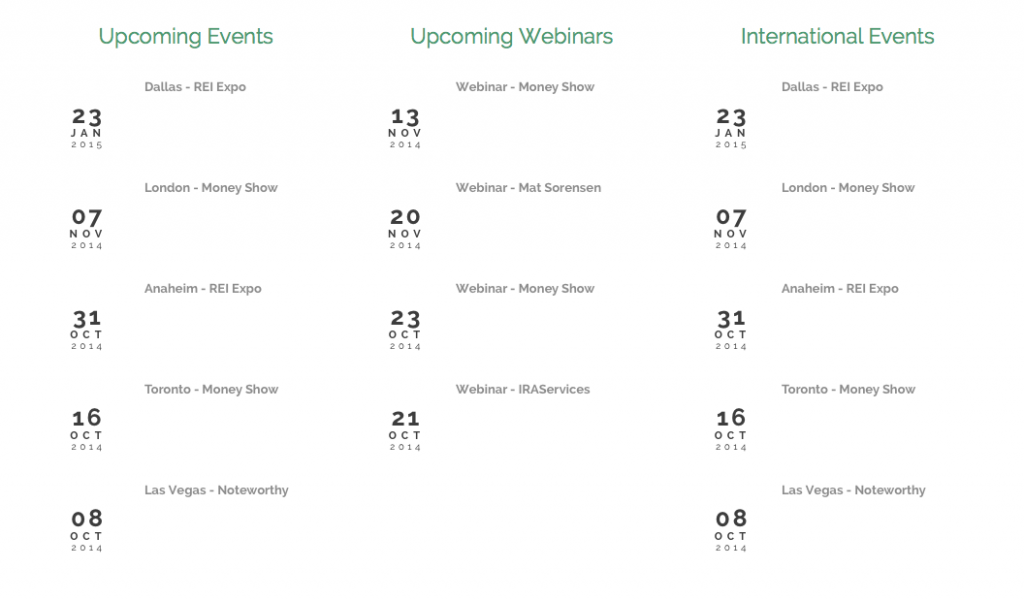
css3 calendar icon not showing
- [email protected]
-
 Topic Author
- New Member
-

Less
More
IP: 12.227.32.101
12 years 1 month ago #3809
by [email protected]
css3 calendar icon not showing was created by [email protected]
shows this icon instead:
- admin
-

- Administrator
-

Less
More
- Posts: 1931
IP: 173.2.237.88
12 years 1 month ago #3810
by admin
Olivier.
Replied by admin on topic css3 calendar icon not showing
There are no CSS3 image icons.
Either images for CSS2 or gradients for CSS3.
If you want to show gradients with CSS3, you need to fill the appropriate background colors.
What are you trying to do?
Olivier.
- [email protected]
-
Topic Author
- New Member
-
Less
More
- Posts: 18
IP: 204.16.228.18
12 years 1 month ago #3811
by [email protected]
Replied by [email protected] on topic css3 calendar icon not showing
i see how. how do you show the shadow?
is there a way to convert 24 time clock to 12 hour and use AM/PM?
Thanks!
- [email protected]
-
Topic Author
- New Member
-
Less
More
- Posts: 18
IP: 204.16.228.18
12 years 1 month ago #3812
by [email protected]
Replied by [email protected] on topic css3 calendar icon not showing
i see shadow. never mind.
- admin
-
- Administrator
-
Less
More
- Posts: 1931
IP: 173.2.237.88
12 years 1 month ago #3813
by admin
Olivier.
Replied by admin on topic css3 calendar icon not showing
In the body tab, go to the 'Time' section and change the time format to:
g:i A
Olivier.